Colour comes from stacked layers of filament, not from one roll.
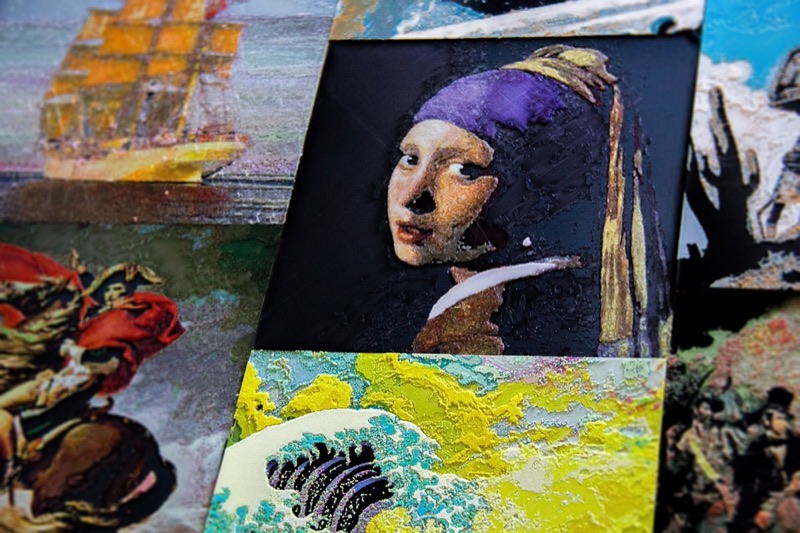

Each part of an image gets its own combination of filament layers. The colour comes from the materials and the way light passes through them.
Patent pending.
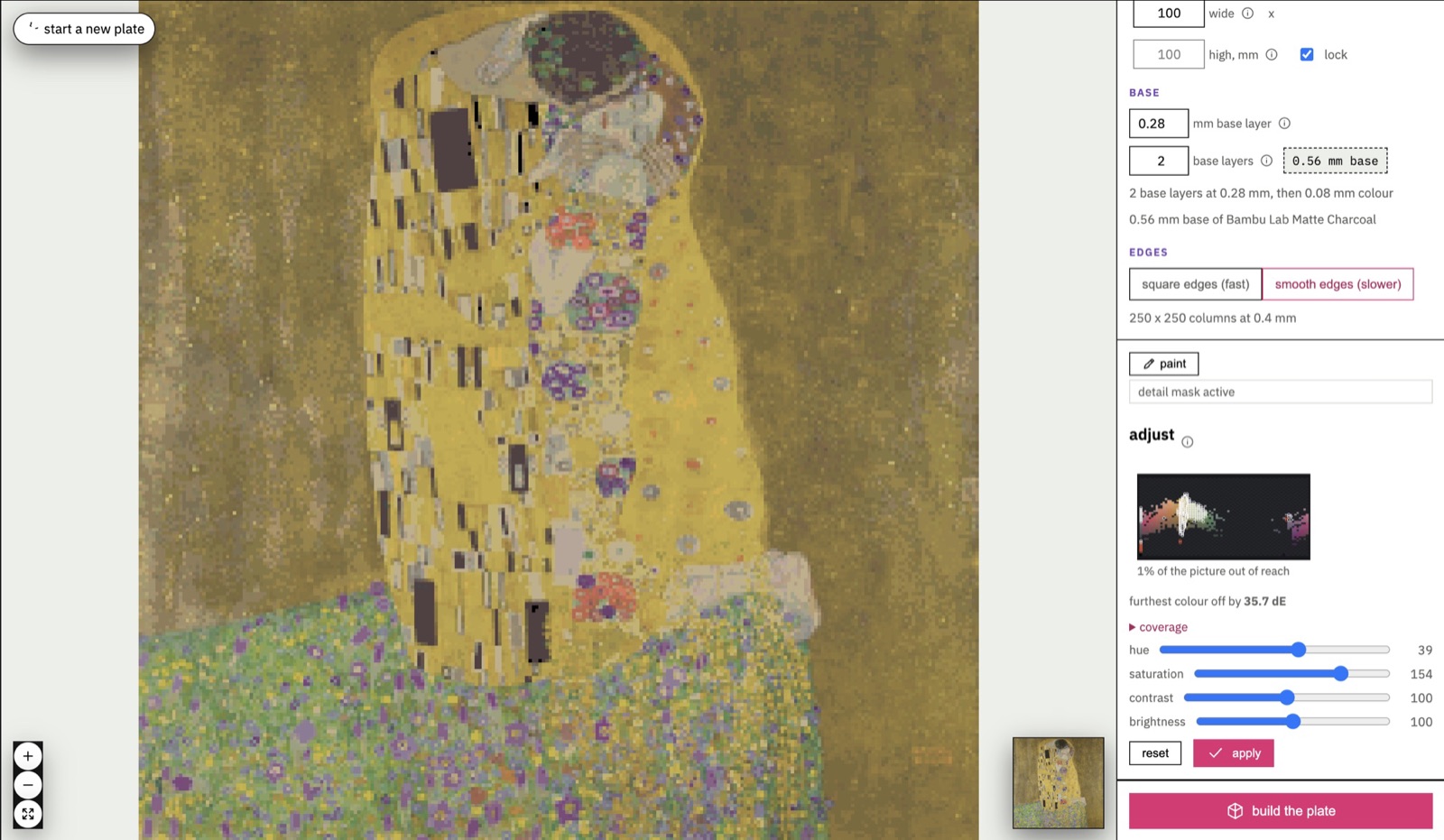
Colour comes from stacked layers of filament, not from one roll.
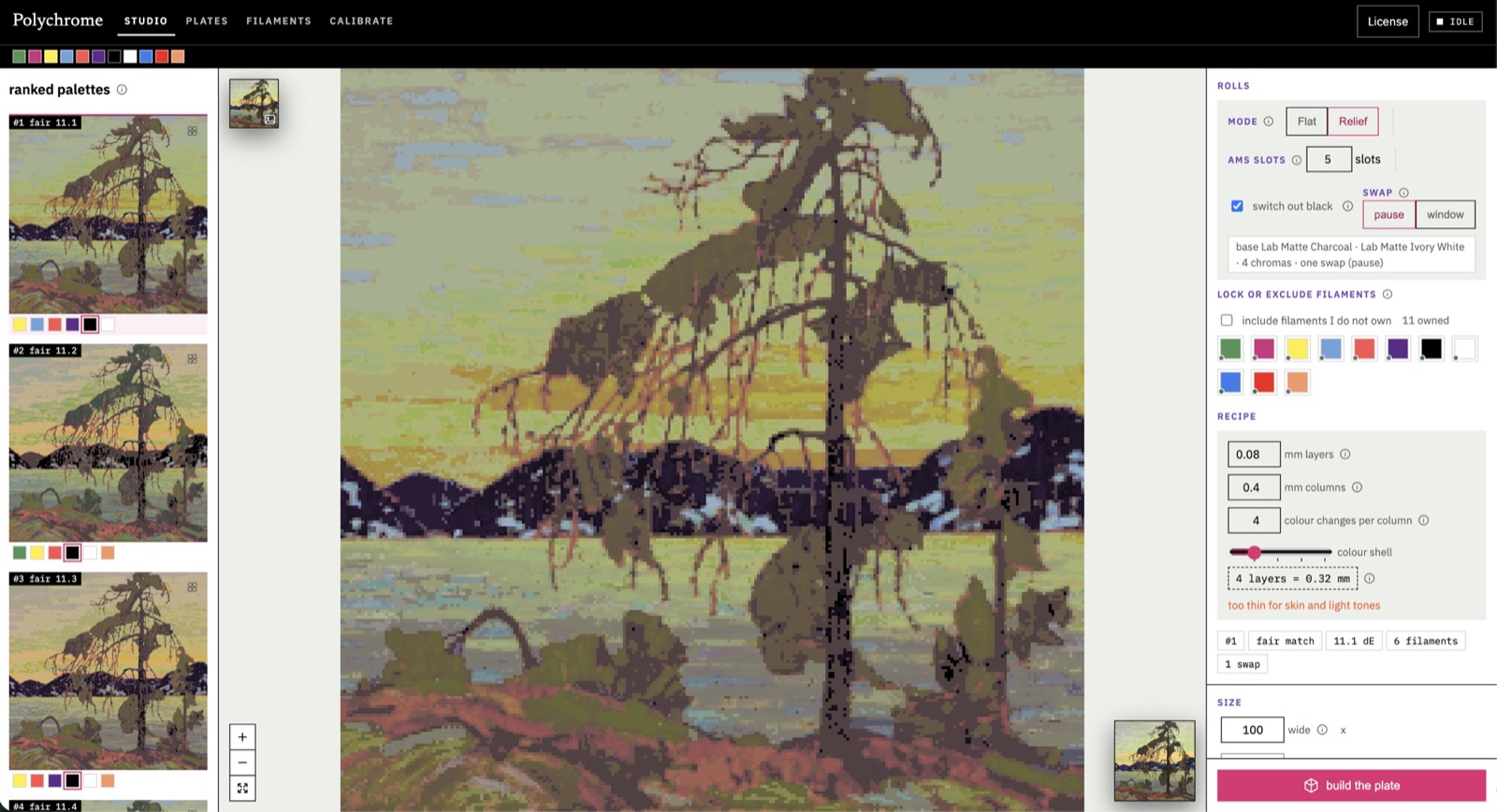
Compare the palettes your own shelf can make before you print.
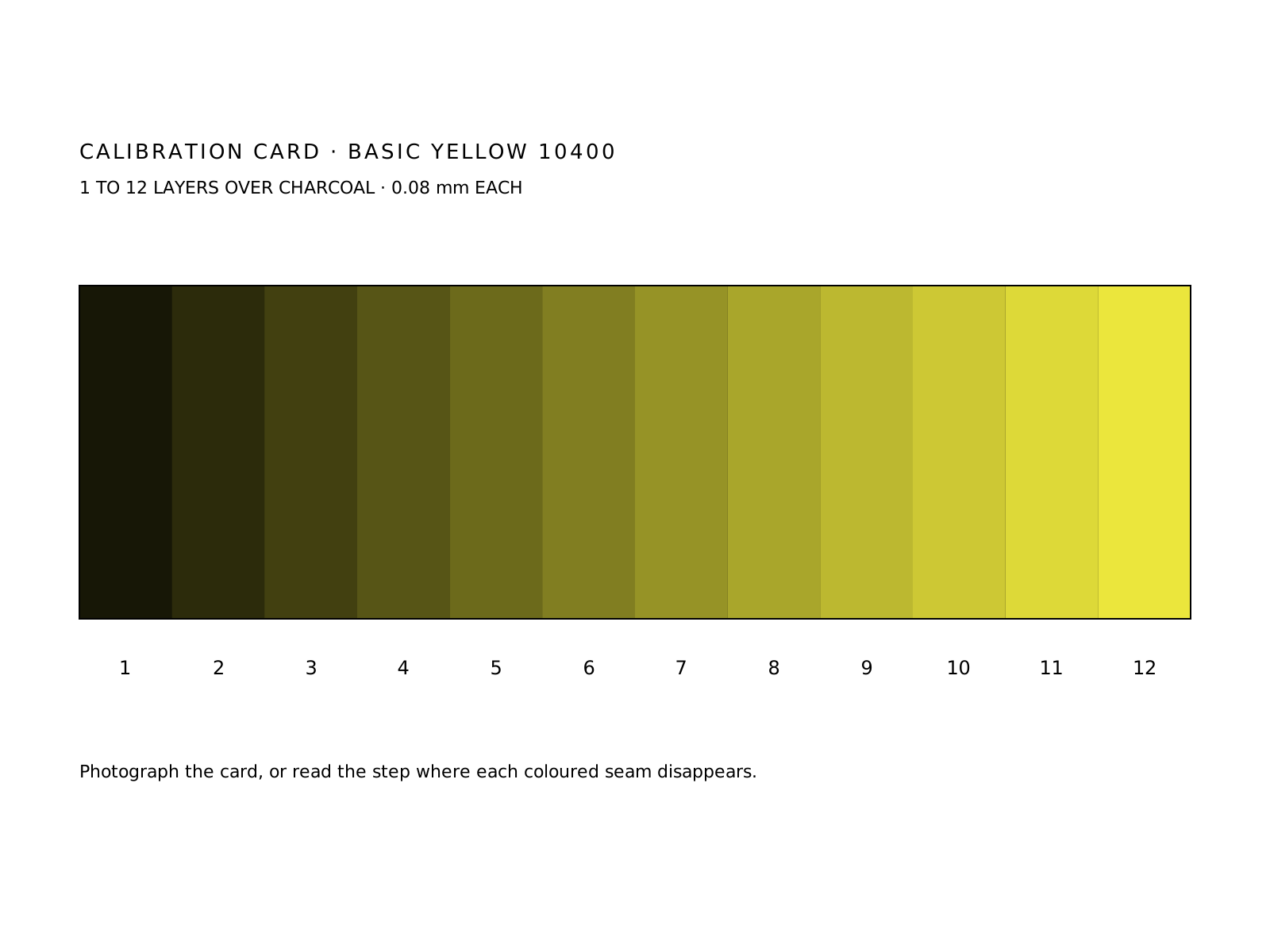
Calibrate a roll by eye with a printed card.
Export a 3MF and a print sheet for your slicer.
3D-printer filament is not opaque. A layer 0.08 mm thick lets most of the light through. Put a thin yellow layer over a dark base and you see dark yellow. Put white under the yellow and you see bright yellow. Add more white and it gets brighter. Colour comes from the stack, not from one plastic.
The image is divided into 0.4 mm columns, one nozzle width. Every column gets its own stack, chosen from a table of every stack the loaded spools can print. Dark parts of the picture get short columns or none at all, so the base shows through as true black. Bright parts get tall columns of white with colour on top. The finished plate is a low relief you can feel.
Most people own more spools than the printer can hold. Polychrome reduces the picture to its palette, then for each possible set of spools it simulates every printable stack, lists every colour that set can make and scores how well the list covers the picture. The best sets are ranked and you are told which spools to load. That is physics, not a guess from the spool colours.
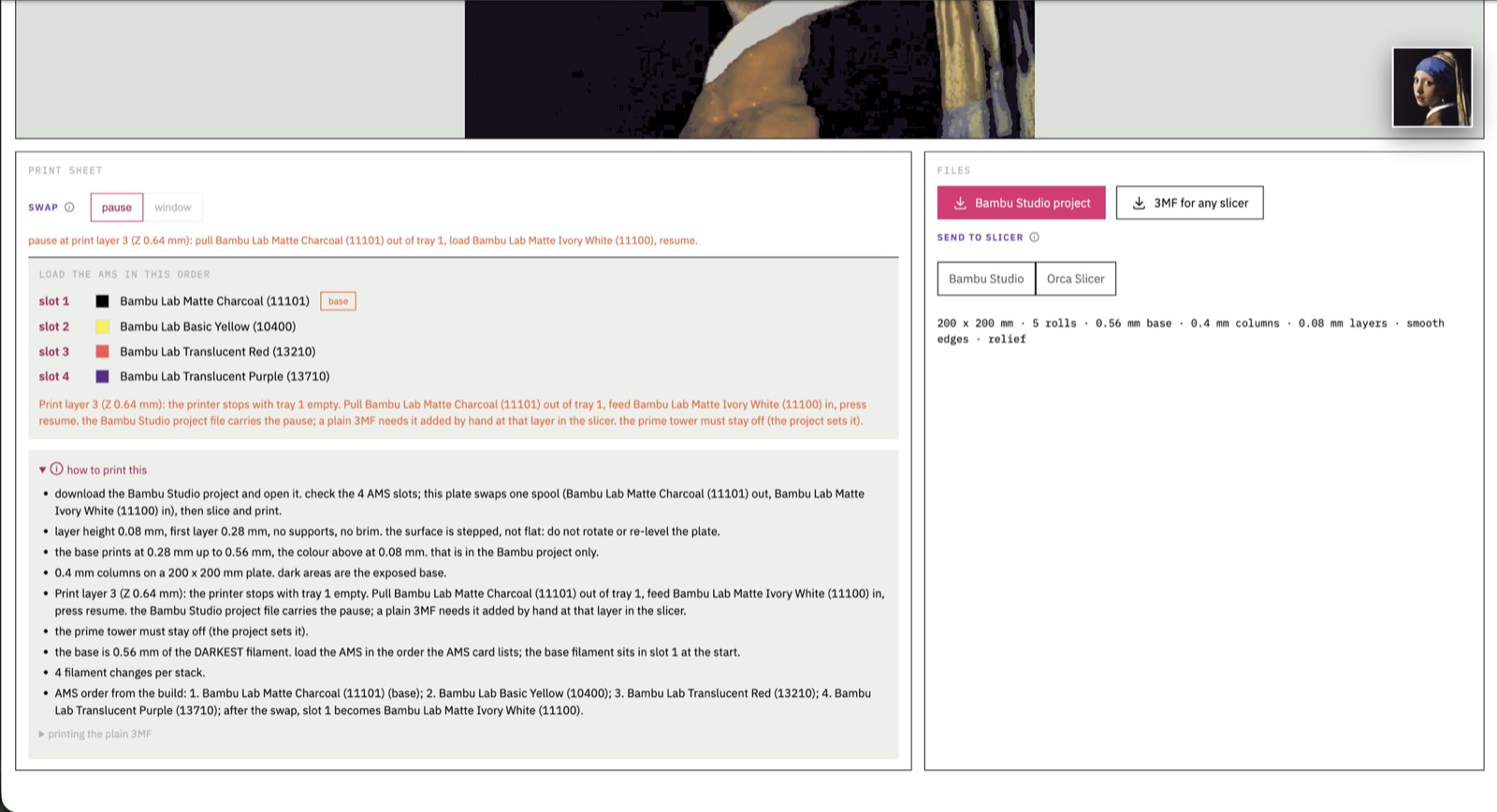
The dark base spool is only needed for the base slab. Once the slab is done its slot is idle, so Polychrome arranges the stacks so the arriving white spool is not called during the first layers above the base. That leaves a window to swap the spool while the printer keeps running.
Every spool is slightly different. Polychrome prints a small staircase of a spool, from one layer thick to twelve, over a base. Photograph it with a phone and the software fits how strongly that plastic absorbs red, green and blue per millimetre. No camera? Lay the staircase across a printed strip of coloured seams and note the step at which each seam disappears.
Like a cuttlefish, a Polychrome print gets its colour from layers, not from pigment on the surface. Move it under a lamp and the relief comes alive.
Import a picture and set the size, crop and outline for your piece. Polychrome works from what you give it, so the image you choose decides the tonal range a palette has to cover.
Tell Polychrome which rolls you have. It compares the palettes it predicts for your image and shows what each combination can reach.
The latest Napoleon study used eight colour layers¹, calibrated by eye, to extend the tonal range.
Polychrome recommends five rolls. Four will print, five prints better.
Filament colour and opacity both affect the result. The same colour name on two brands does not guarantee the same print.
Polychrome can estimate optics for an unmeasured roll. Its calibration tools let you compare a printed card by eye and refine the material model. Estimates and measurements remain distinct.
Polychrome estimates optics for a roll it has not measured.
Print a calibration card and compare it against the prediction by eye.
Replace the estimate with your own measurement for the rolls you use.
Some relief recipes use black for the base and white later in the colour region. That can require an operator-assisted spool exchange when the palette exceeds the loaded positions.
The print sheet describes the exchange for the exported recipe. Follow those instructions and check the slicer before starting. A five-roll recipe is not five simultaneously loaded rolls.
Build the geometry and slice the exported 3MF in your slicer.
Rolls, order and any exchange for the recipe, on one sheet.
Carries filament assignments and applicable pause information.
Relief varies the colour-region height across the image. Flat mode keeps the construction at full depth. Both use the same underlying idea: combinations of filament layers produce the visible colour.
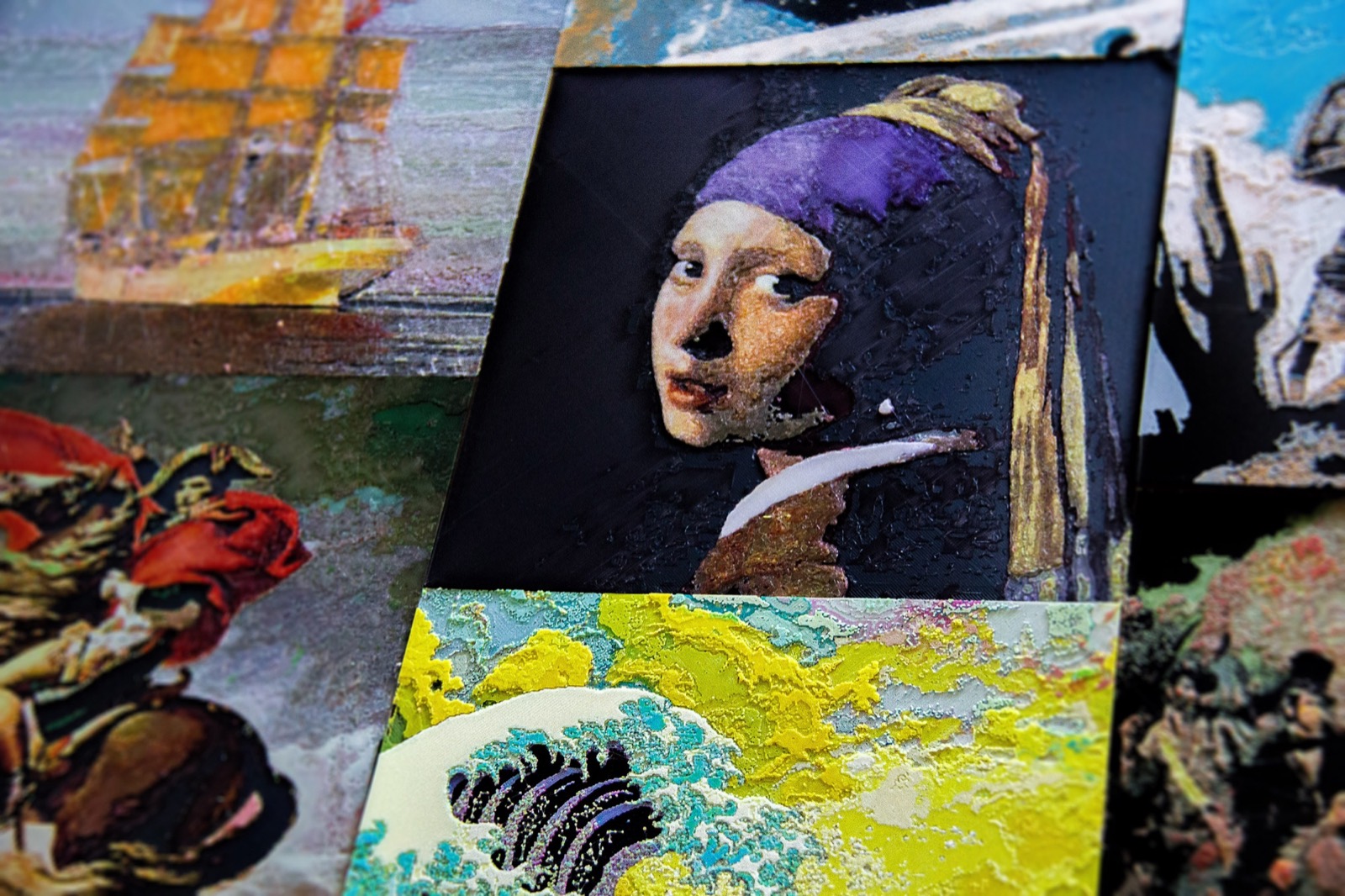
Use the depth of the colour layers to make an image you can frame and hold.
Make colour part of a flat piece. Coasters and other small objects are a place to start.
Not for every recipe. A five-roll relief recipe can use four loaded positions with an operator-assisted exchange. Other palettes fit within the loaded positions. Check the recipe and print sheet.
No. Eight colour layers means eight stacked printing layers in the colour region. Several different filaments can appear within a layer. It does not mean eight rolls are required.
The preview depends on the material model and recipe. Calibration helps align the model with your rolls. Lighting, material variation and printing conditions also affect the appearance.
Next step
See the planned licences, and what is being tested before checkout opens.